Tapping on Buildings
The newest feature to be added is pop-up information about a building when it is tapped on. The player will see the name of the building and a short description of its status at the bottom of the screen:
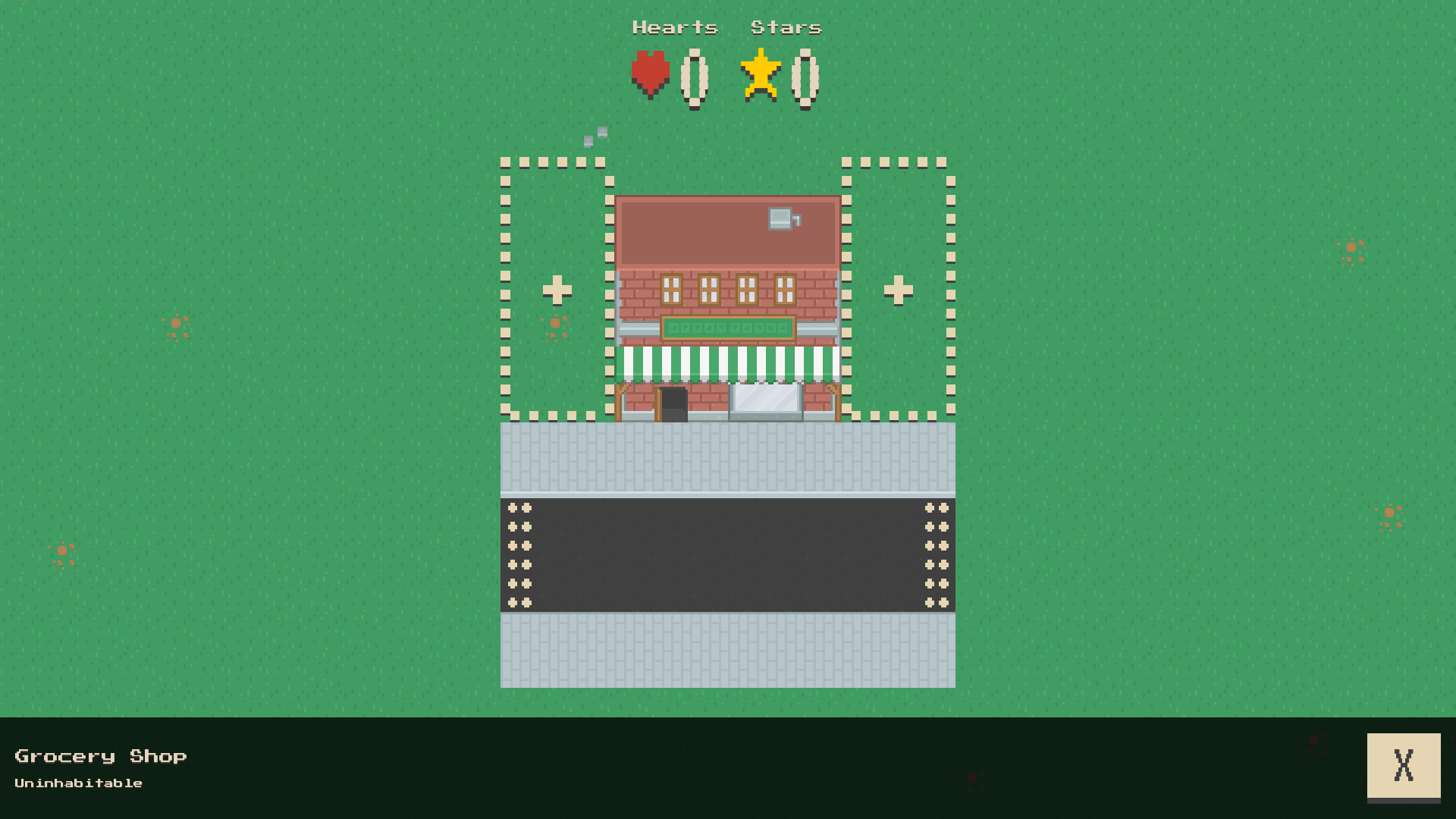
Tapping a building like the Grocery Store above brings up a card at the bottom of the screen with some information.
This can be dimissed with the ‘X’ button. There is only one status for a building right now: uninhabitable. In future buildings may need a little help before they are fully up and running, so a player may have to tap on a building and find out what it needs.
It will also help remind players what a building is, in case they cannot remember from the appearance.
Eventually there may be more ways to interact with buildings and the other things in a city. So this is the start of greater interactivity.
It took a fair bit of work to get this feature working. One part was to treat the game controls at the bottom of the screen like a stack of cards. New ones can appear over the top of the current ones. For example if we are in build mode then tapping on a building will show its information over the top of the build controls. When the building information is dismissed we will see the build controls return.
Here’s you can see the ‘cards’ in action as we tap on the Grocery Store whilst in build mode. Notice how once we have dismissed the pop-up we return to the build mode controls:
This work should make it much easier to tap on other things in future like residents, items, traffic, who knows!